How Much Is Your Pokémon or Sports Card Worth? Check Card Prices from One Photo (Beginner Friendly)
Longtime collectors and experts can glance at a card and just know its value. They have every set, variant, and grade memorized. Most of us, though, do not.
That box of Pokémon cards you collected as a kid, a few baseball cards in a desk drawer, and the new cards you started buying now that Pokémon is popular again. "Wait, how much is this worth?" The moment you try to find out, it gets confusing fast: where do you even look, and how?
The problem is that the same card can be worth wildly different amounts. Even the same Pikachu varies by set, year, and variant (like Rainbow Rare), and the grade (PSA or BGS) can swing the price by hundreds of times. Sorting all of that out is tough for a beginner.
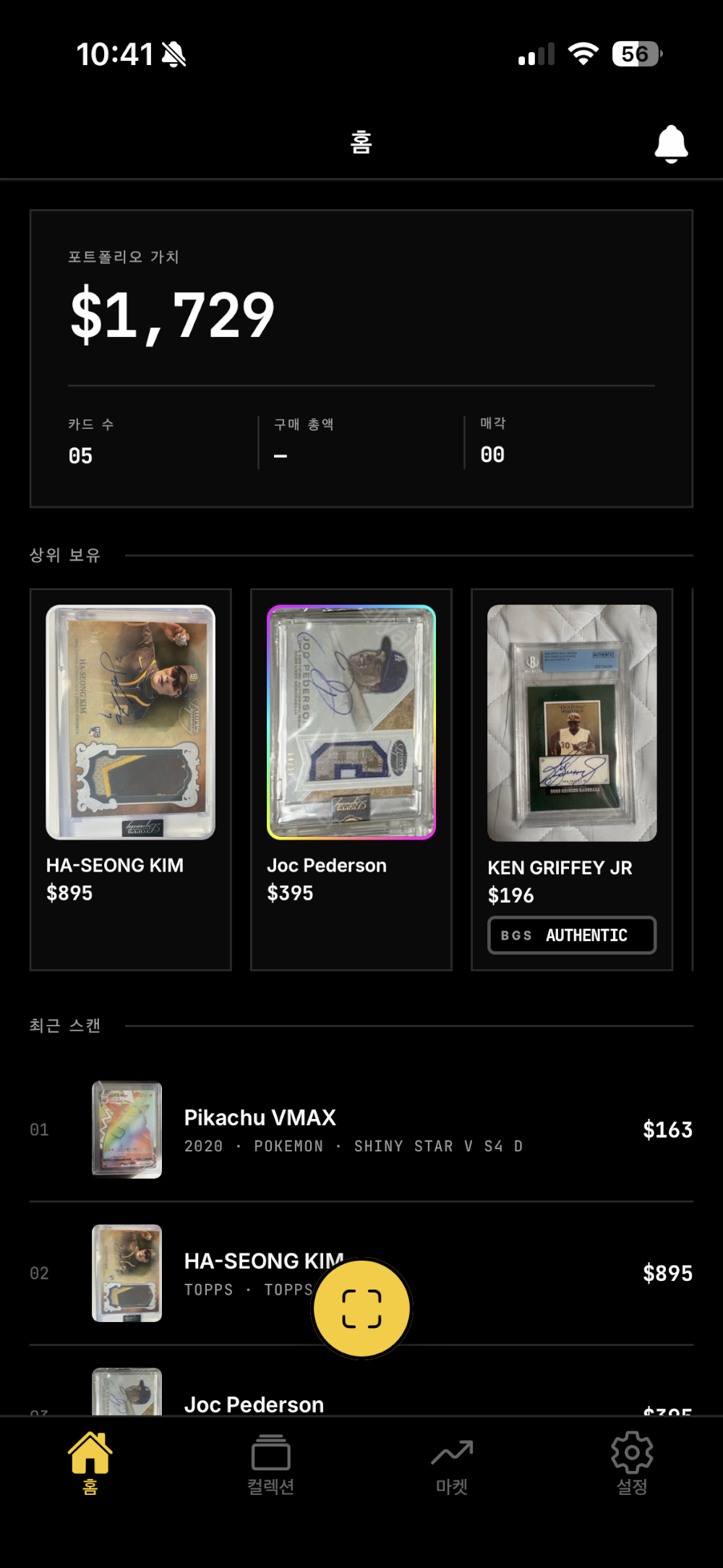
CardScanner exists to close exactly that gap. You do not need any expert knowledge. One photo is enough to automatically identify a card and pull up its value. It is not some big corporate product. A card collector built it to manage his own collection, so it is completely free, and since the maker uses it every day, it keeps getting better.
From one photo to its price, automatically (real app footage)
Experts know at a glance. But the rest of us?
To check a value the usual way, you have to (1) figure out the exact set, card number, and variant, (2) find similar listings on eBay, (3) tell the asking price (what a seller hopes to get) apart from the actual sold price (what it truly sold for), and (4) keep only the listings that match your card's grade. It is easy to be fooled by asking prices, and one wrong variant gives you the wrong number. That is a high bar for a beginner.
The fastest way: one photo (3 steps)
- Scan front and back: line the card up in the guide and it captures automatically. Adding the back improves accuracy through the card number and copyright year.
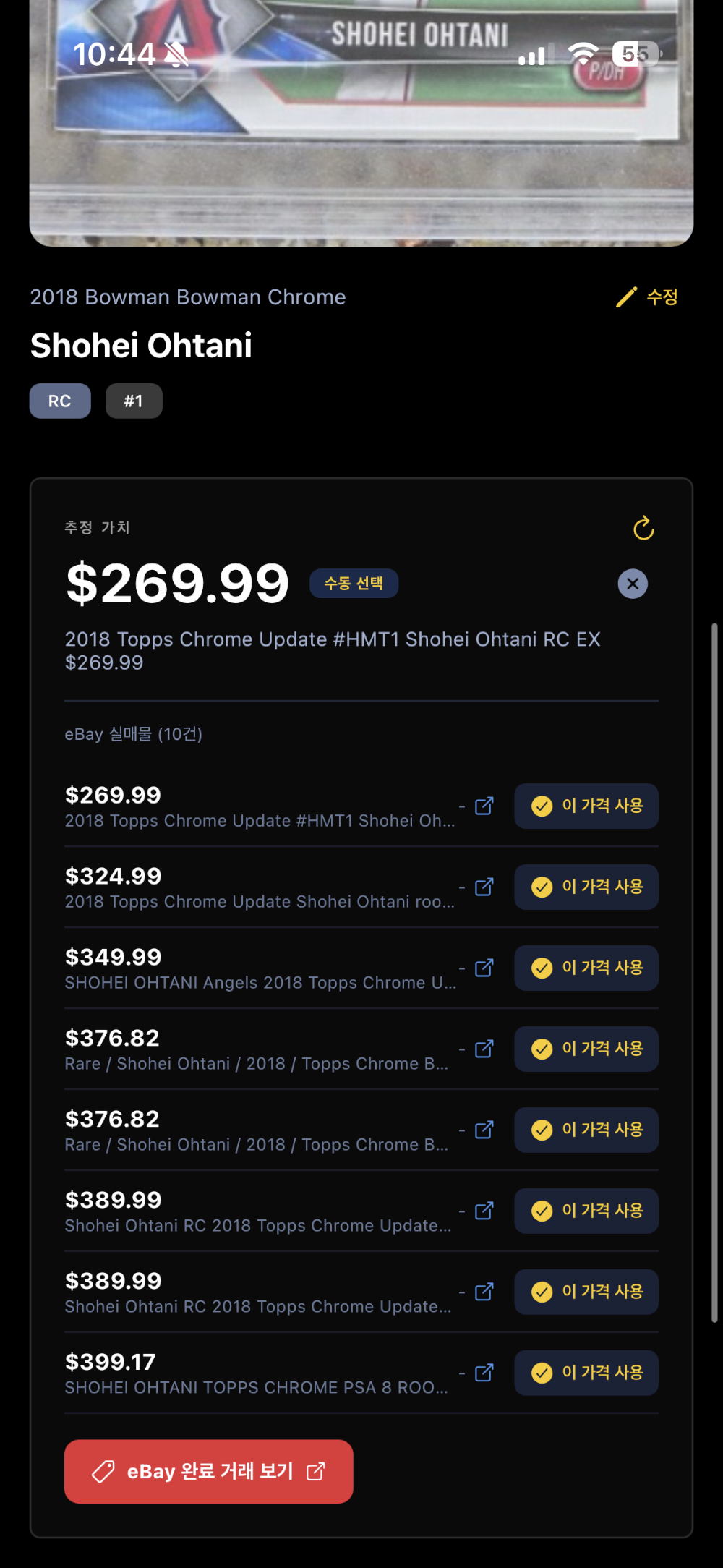
- Pick the listings that match your card: from the eBay candidates, tap only the ones that match yours. The average of what you pick becomes the price.
- Check the real sold price and save: use "View eBay sold listings" to confirm what it actually sold for, then save it to your collection.
Three tips for reading prices right
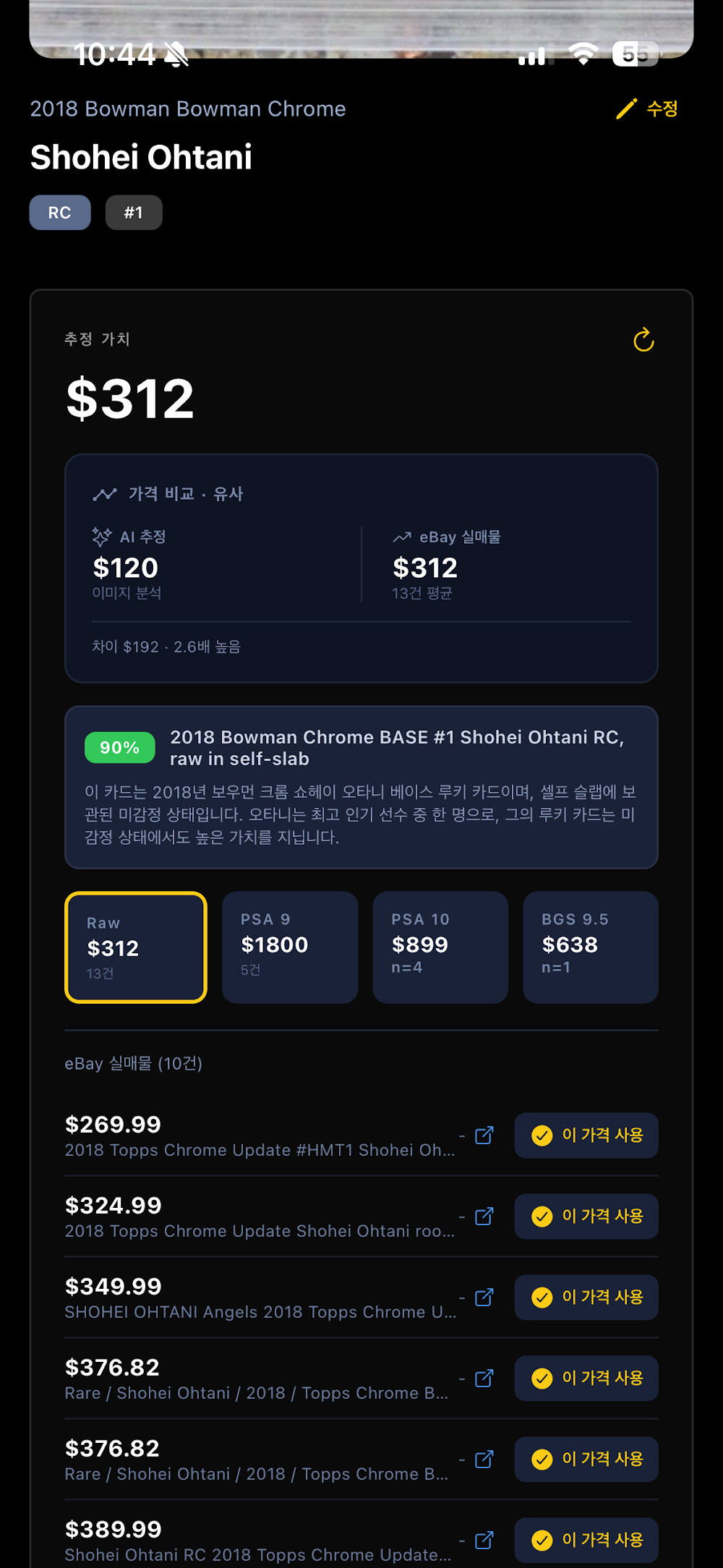
- Asking price is not the sold price: a listed price is wishful thinking, while the true value is closer to what actually sold.
- Grade decides the price: the same card differs across Raw, PSA 9, PSA 10, and BGS 9.5. For slabs, the grade and cert number are read automatically.
- Check the variant and serial number: Rainbow Rare, limited runs like /5, and Refractor or Gold variants are worth far more than the base version.
Trending Pokémon cards work too
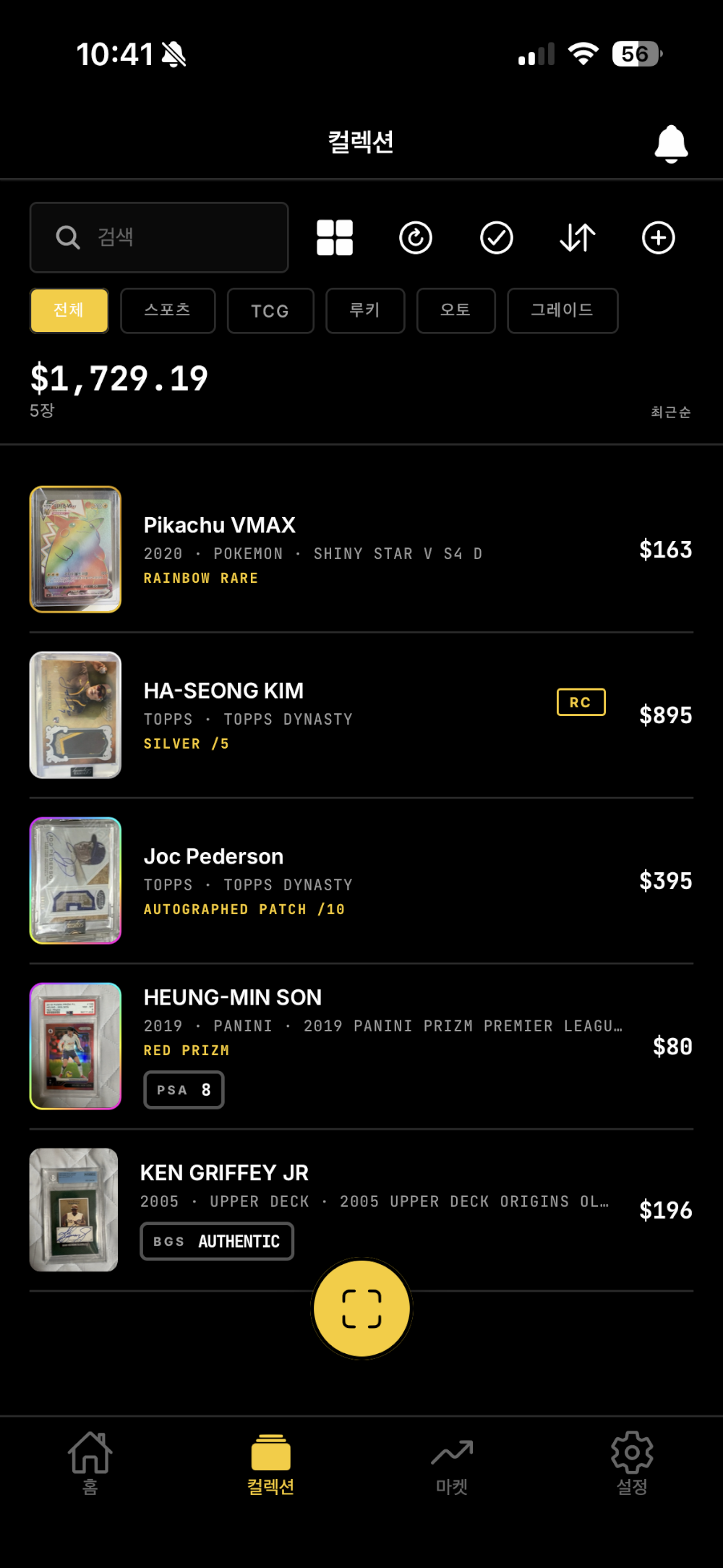
Popular cards like Pikachu VMAX (Rainbow Rare) and Deoxys V, plus the hot cards from Prismatic Evolutions and the 151 set, all work. Whether it is TCG or sports cards, one photo identifies them and pulls the value. Dig out the cards you collected as a kid, and a surprise "hit" might be hiding in there.
FAQ
Q. Is it Pokémon only?
It supports TCG like Pokémon as well as sports cards (baseball, basketball, soccer, and more).
Q. Do ungraded cards get a value too?
Yes, raw (ungraded) prices show as well.
Q. Is it paid?
It is completely free. A collector built it to manage his own collection, so there are no payments, subscriptions, or locked features.
Q. Will it keep getting updated?
Yes. The maker uses it every day, so identification accuracy, price sources, and new set support keep improving.
A note from the maker
Other price apps were paid, or split Pokémon and sports apart, or only showed asking prices, which was frustrating. So I built the app I wanted to use, and made it free for anyone with the same problem. Do not search your cards one by one; check them all at once with a photo. I will keep filling in what is missing.

댓글
댓글 쓰기